A broken external hard drive is not automatically a lost drive, but it is a high-risk situation if you handle it wrong. Physical damage can be limited to the enclosure and USB interface, or it can involve internal mechanical components. The symptoms look similar, which is why people make expensive mistakes fast.
This guide shows you how to triage safely, what actions to avoid, and when professional recovery becomes the only rational option.
Broken External Hard Drive: What “Broken” Usually Means
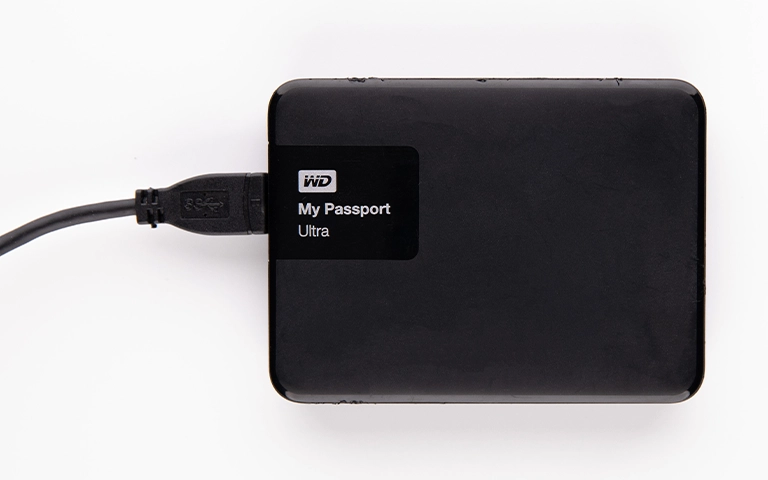
A “broken” external hard drive can mean two very different things. The outer enclosure can be cracked or the USB connector can be loose, while the internal drive may still be intact. In other cases, the impact damages internal components, which is where risk increases fast.
Most real-world cases fall into these buckets:
- Enclosure damage: cracked casing, bent USB port, loose power jack, damaged bridge board.
- Drive damage: clicking, no spin, repeated spin-up, sudden disconnects, or drive causing the computer to freeze.
- File system damage after an event: the drive powers on and is detected, but data is inaccessible after a drop, surge, or unsafe unplug.
This matters because the next step should be based on the failure type. The wrong move, like forcing repairs or repeated power cycles, can reduce recoverability.
Industry-Leading 99% Success Rate
No hidden fees. No surprises. Just expert data recovery you can trust. We handle everything from simple file loss to extreme data recovery cases. If we can’t recover your data, no one can.
Immediate Triage: What to Do in the First 10 Minutes
Treat this as an incident, not a troubleshooting hobby. Your goal is to preserve the drive’s current state.
- Power it down: Disconnect it cleanly. Do not keep “testing” it.
- Inspect the outside only: Look for a bent USB port, cracked enclosure, exposed internals, or liquid residue.
- Separate enclosure damage from drive damage: If the casing is damaged but there are no abnormal sounds and it was only a connector impact, the risk may be lower. If there are noises or spin issues, the risk is high.
- Use one controlled test only if needed: If you must test, use a known-good cable and a direct USB port. One attempt. No repeated reconnect cycles.
- Stop immediately if you hear anything abnormal: Clicking, beeping, spin cycling, or grinding means you should not continue powering it on.
Hard Stop List: Actions That Commonly Destroy Recoverability
If the drive is physically damaged, these actions are where people lose the rest of their chances.
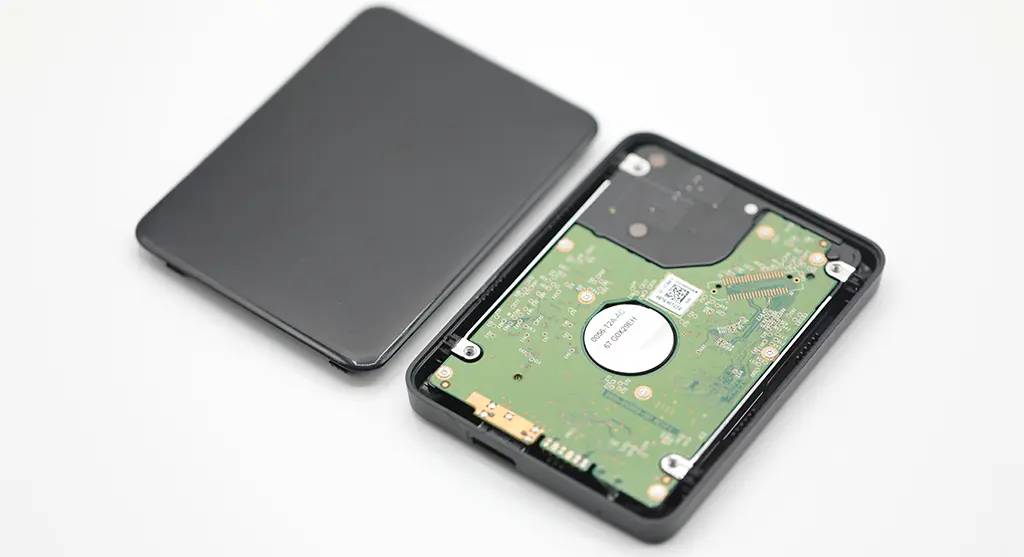
- Do not open the enclosure to access the internal drive: If the internal drive is a mechanical HDD, exposing it outside a controlled environment is a serious risk.
- Do not keep reconnecting it “to see if it works”: Repeated spin-ups can worsen mechanical damage and accelerate media degradation.
- Do not run repair tools: Avoid CHKDSK, “repair disk,” or any tool that rewrites file system metadata.
- Do not format or initialise the drive: If Windows prompts for formatting or initialization, decline if you need the data.
- Do not attempt freezing, tapping, or DIY mechanical hacks: These tactics can convert a partial recovery into a non-recoverable case.
If you hear beeping, see related guidance in our external hard drive beeping article.
Don't Let Data Loss Ruin Your Business
Minimize business disruption. We retrieve lost data fast, so you can focus on what matters.
Damage Scenarios: Drop, Crack, Water, Surge
Drop or impact
A drop can damage the USB connector, the enclosure’s bridge board, or the internal drive. If the drive clicks, spin cycles, or disappears during connection, assume internal damage and stop powering it on.
Cracked enclosure or bent port
Visible casing damage often points to interface issues. The danger is assuming it is “only the case” and repeatedly reconnecting it. One controlled test is the limit if the data is important.
Water or liquid exposure
Liquid exposure creates corrosion and short risks. Do not power it on “to check.” The correct move is controlled drying and professional evaluation before any read attempts.
Power surge or electrical event
Surges can damage the bridge board, the drive PCB, or firmware areas. The drive may light up but not enumerate correctly, or it may repeatedly reset.
If the drive powers on but is not detected, you can read more about external hard drive not recognised.

Symptoms to Risk Map: Noise, No Spin, Disconnects
Use this table to decide whether to continue basic checks or stop and escalate.
| Symptom | What it often indicates | Risk |
|---|---|---|
| Bent USB port, loose connector | Enclosure or interface damage | Medium |
| No light or no spin | Power or board issue | Medium to High |
| Clicking, grinding, spin cycling | Mechanical failure inside the drive | Critical |
| Beeping | Power shortfall or the drive struggling to spin | High |
| Appears then disconnects | Unstable power, enclosure fault, or failing drive | High |
| Detected but files will not open | File system damage or bad sectors | High |
| Very slow, freezes the computer | Severe bad sectors or failing media | Critical |
If beeping is the main symptom, see our external hard drive beeping guide.
Emergency Data Recovery Services
Unexpected data loss? Whether it’s a crashed system, failed storage device, or accidental deletion, our 24/7 emergency recovery service ensures priority assistance to retrieve your critical data.
How Physical Damage Data Recovery Works
Physical damage recovery is not about forcing the drive to mount. The goal is controlled extraction with minimal additional stress on the device.
In most cases, professionals start by stabilising the hardware path. That includes power behaviour, interface integrity, and imaging strategy. The priority is to capture data safely and work from a copy, not repeatedly access the original drive.
If there are mechanical symptoms, recovery typically moves into cleanroom handling and donor-part work. If the problem is logical or firmware-level, the focus shifts to non-destructive reconstruction of the file system and metadata, avoiding tools that overwrite evidence.
If you want the fastest route to a decision, an evaluation gives you a clear failure classification and a recovery path based on risk, not guesswork.

Contact Us for External Hard Drive Recovery
If your external hard drive is broken and the data matters, stop DIY now. Physical damage is one of the fastest ways to turn a recoverable case into permanent loss.
We provide a controlled recovery path with professional handling and clear decision points. Submit your case for evaluation and we will confirm the failure type and the safest recovery approach.
You can also explore our external hard drive recovery service to understand how the process works end-to-end.
Industry Certifications
Trusted by leading organizations and certified by industry authorities